The website migration checklist

A website migration checklist is the technical list for moving a site to new URLs, a new platform, or a new domain without losing the search visibility it has already earned. It covers URL inventory, redirect mapping, content and metadata parity, indexing configuration, and post-launch monitoring.
Download the Checklist↓Word + PDF, no email required
What actually goes wrong
A website migration is the highest-risk moment in a web project, and it earns that title for a specific reason: the damage is invisible on launch day. The new site loads. The forms work. Everyone signs off. The problem shows up six weeks later as a quieter phone, by which point the cause is hard to isolate and slow to reverse.
Three causes account for most of it. URLs change without 301 redirects, so rankings have nowhere to transfer. Content gets thinned, so the thing that ranked no longer exists on the page. Or a staging configuration blocking search engines gets deployed to production and left there. The third one is the most galling, because it is a single line of configuration and it undoes the entire project.
What makes all three worth a checklist rather than good intentions is the asymmetry. Preventing them costs an afternoon of inventory work up front. Recovering from them takes months, and does not always fully succeed, because search engines have to recrawl and reassess everything you broke. That is an unusually lopsided trade, and it is the whole argument for the list below.
The seven phases
Phases 2, 3 and 6 decide whether rankings survive. If you only have the appetite to be rigorous about three things, make it those.
| Phase | What it has to produce |
|---|---|
| 1. Inventory what exists today | Every URL, with traffic, rankings and inbound links attached, plus a benchmark of the last 12 months. Everything else depends on this being complete rather than approximately complete. |
| 2. Map every old URL to a new one | A two-column spreadsheet covering every address, mapped to its closest equivalent. This is the deliverable, not the paperwork. |
| 3. Set the redirects up correctly | Permanent 301s, no chains, protocol and www choice preserved, each resolving to a working page rather than to another redirect. |
| 4. Carry content and metadata across intact | Retained pages keep at least as much content, plus titles, descriptions, heading structure, alt text and structured data. |
| 5. Get the technical setup right | Canonicals pointing at production, a sitemap of live indexable URLs only, robots.txt correct, and no inherited noindex. |
| 6. Launch day | Remove the crawler block first, submit the sitemap, spot-check the top 20 redirects, confirm forms deliver from the live domain. |
| 7. Monitor for 90 days | Weekly crawl-error checks, comparison against the benchmark at 7, 30 and 90 days, and same-week fixes for high-traffic URLs that were missed. |
How to run it
Six things that separate a migration nobody notices from one that takes a quarter to recover from.
- Crawl the site, do not rely on the sitemap. A sitemap lists what somebody intended to publish. A crawl finds what is actually there, including the orphaned pages nothing links to any more. Those orphans are frequently the ones with old inbound links, which makes them exactly the URLs you cannot afford to drop.
- Treat the URL map as the project deliverable. Two columns: every old URL, and the address it should resolve to after the move. Map to the closest equivalent page. Redirecting everything to the homepage looks like coverage and behaves like deletion, because search engines commonly treat a bulk homepage redirect as a soft 404 and pass almost nothing through it.
- Use permanent redirects and remove the chains. A 301 says the move is permanent and transfers the ranking signals. A 302 says it is temporary and keeps them on the old address. Then check for chains, where A points to B which points to C: each hop costs a little speed and a little link equity, and long chains sometimes stop being followed.
- Check content parity page by page, not in aggregate. Content thinning is the second most common cause of a post-migration drop, and it happens by accident when a cleaner template holds less text. Confirm each retained page has at least as much substance as before, and that titles, descriptions, headings and alt text came across rather than being regenerated as defaults.
- Do the indexing check before anything else on launch day. The single most expensive item on this list is the staging crawler block reaching production. The site works perfectly for every human who visits while search engines are being told to stay out, so nothing looks wrong until rankings start disappearing weeks later. Confirm the live site is crawlable first, then do everything else.
- Judge it at 90 days, not at 7. Some movement in the first fortnight is normal as search engines recrawl and reprocess. What is not normal is pages leaving the index entirely, or a high-traffic URL returning an error. Check weekly, fix those two things immediately, and hold the verdict until the 90-day mark.
The checklist
Seven phases with columns for owner and date. Assign a name to every row, and do not let phase 2 be marked complete until somebody who did not build the URL map has spot-checked it.
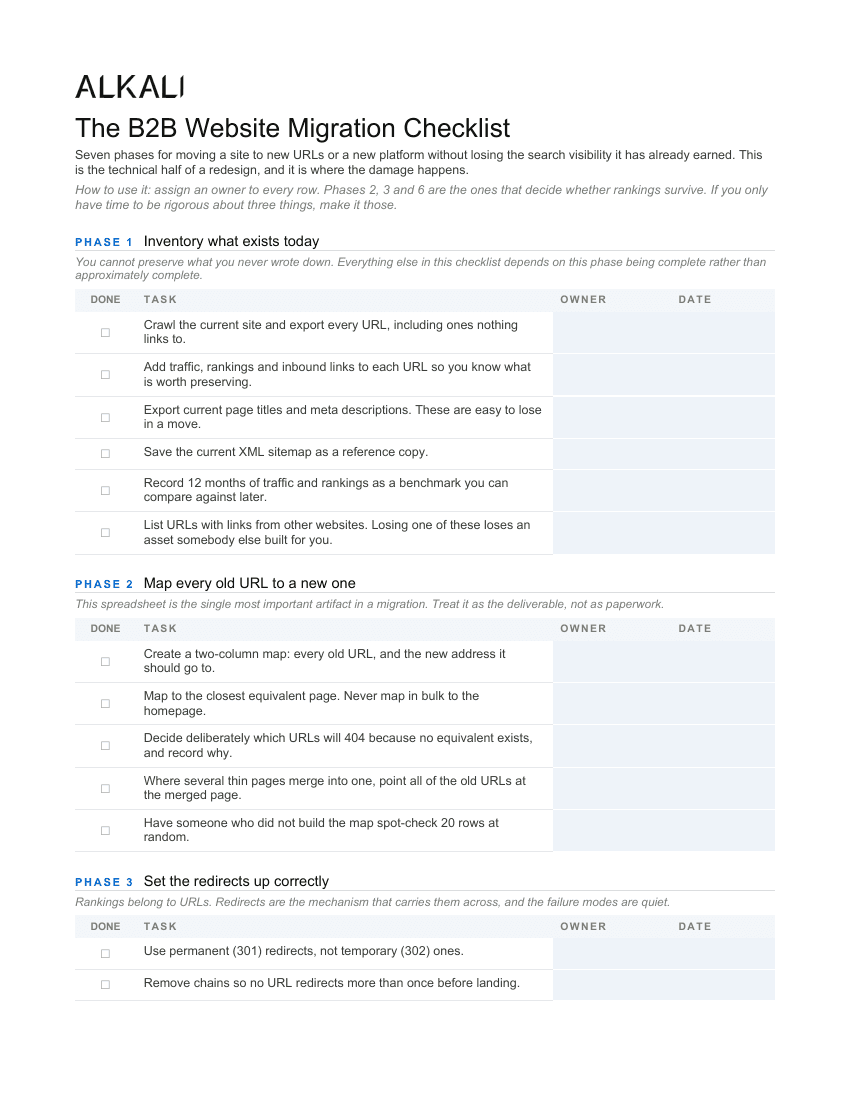
Three pages. Page one covers inventory, URL mapping and redirects; pages two and three cover content parity, technical setup, launch day and 90 days of monitoring.
The Word file opens in Word, Google Docs or Pages. If the move is part of a wider project, the website redesign checklist covers the goals, content and messaging work this one deliberately leaves out.
If you already migrated and traffic dropped
Most people find this page after the fact rather than before it, so here is the order to work in. Diagnosis first, because the three causes need different fixes and guessing wastes the weeks that matter most.
Start with indexing, because it is the fastest to check and the most catastrophic to miss. Search for your own domain and see whether your pages are there at all. If they have vanished wholesale rather than slipped a few positions, the cause is almost certainly a crawl or index block rather than anything to do with content or links. Fix that and the recovery is usually quick.
If pages are still indexed but ranking lower, compare the old URL list against the new one and look for addresses that now return an error. Every high-traffic URL missing a redirect is a direct loss you can reverse the same day. Work down that list by traffic, not alphabetically.
If the URLs all resolve and the rankings still slipped, the likely cause is content. Compare a handful of the pages that dropped against their old versions, using an archive copy if you have one. Look for shorter copy, missing headings, or a page that merged into another and lost most of what it said. Republishing that content is slower to take effect than a redirect fix, but it does work.
One caution on timing. Some movement in the first two or three weeks is ordinary while search engines recrawl, and acting on week-one data leads teams to undo good decisions. Fix broken URLs and indexing blocks immediately, since those are unambiguous. Hold judgement on everything else until the 90-day mark.
If you're not sure yet whether the drop is rankings or tracking, why did your Google rankings drop after the website redesign? walks through the Search Console checks.
Common questions
What is a website migration?
Any change that moves your content to different addresses: a new domain, a new CMS or platform, a restructured URL scheme, a move to HTTPS, or merging two sites into one. If the URLs search engines have on file stop being correct, it is a migration and it needs a redirect plan.
How do I migrate a website without losing SEO?
Inventory every URL before anything changes, map each one to its closest equivalent on the new site, redirect with permanent 301s, keep the content and metadata on retained pages intact, and confirm on launch day that the live site is crawlable. Those five things prevent the large majority of migration losses.
Why did my traffic drop after a website migration?
Almost always one of three causes. URLs changed without redirects, so the rankings had nowhere to transfer. Content was thinned or removed, so the thing that ranked no longer exists. Or the site launched with crawling or indexing blocked, usually because a staging configuration was deployed to production. All three are visible in a crawl and a Search Console check.
How long does it take to recover from a bad migration?
Months, typically, and it does not always come back fully. Restoring redirects and republishing lost content helps, but search engines have to recrawl and reassess. That asymmetry between an afternoon of planning and a quarter of recovery is the entire argument for working through a list beforehand.
Should I keep redirects in place forever?
Effectively yes. Links on other people's websites, in PDFs, in old email signatures and in documentation keep sending traffic for years after a move. Removing a redirect breaks every one of those at once, and you have no way to know in advance which ones still matter.
Is a migration the same as a redesign?
No, though they are usually done together. A redesign changes what the site looks like and says. A migration changes where the content lives. A visual refresh on the same URLs is barely a migration; a new platform on a new URL structure is the full exercise and should be planned as one.