The SEO audit checklist, written for owners rather than SEOs

An SEO audit is a structured check of whether search engines can find your site, whether its pages match what buyers search for, and whether anything technical is quietly holding it back. For most B2B sites the audit's job is not to find clever optimizations; it is to find the two or three basic problems that have been costing enquiries for years, in the order that finds the expensive ones first.
Download the Checklist↓Word + PDF, no email required
What an SEO audit is actually for
Almost every version of this checklist is written for SEO practitioners: crawl budgets, log files, cannibalization matrices. Useful, if auditing sites is your job. This one is written for the other person: you own a B2B site, you suspect it should be doing more, and you want to know what’s wrong before you pay someone to tell you. Every row names the tool and where to look, so it can be run in an afternoon without a specialist.
The honest case for running it yourself first: the problems that cost B2B sites the most are rarely sophisticated. Across our audit of 55,000+ US B2B websites, 68% never plainly say what the company does and 82% aren't structured for AI search to read. Those aren't crawl-budget problems. You can find every one of them with the checklist below, and knowing them changes what you ask of whoever you hire next.
The five sections, in the order that matters
The order is deliberate: each section only matters if the one before it passed.
| Section | What it checks |
|---|---|
| 1. Indexing | Can Google see the site at all: the site: search, Search Console access, excluded pages, the sitemap, robots.txt, stray noindex tags. If pages aren't indexed, nothing further down matters yet. |
| 2. Content | Do pages match what buyers search: the five phrases a buyer would use, whether the homepage says what you do, whether every service has its own page, unique titles, competing pages, and visible proof. |
| 3. Technical basics | The owner-checkable layer: PageSpeed scores, the phone test, https, broken navigation, and whether www and bare domain serve one site or two. |
| 4. Links | What Search Console shows linking to you, whether important pages are buried, broken links on your busiest pages, and whether your own listings point at the right address. |
| 5. Measurement | Whether analytics works, whether form submissions are tracked rather than just visits, and a baseline written down today, because improvements only mean something against one. |
The checklist
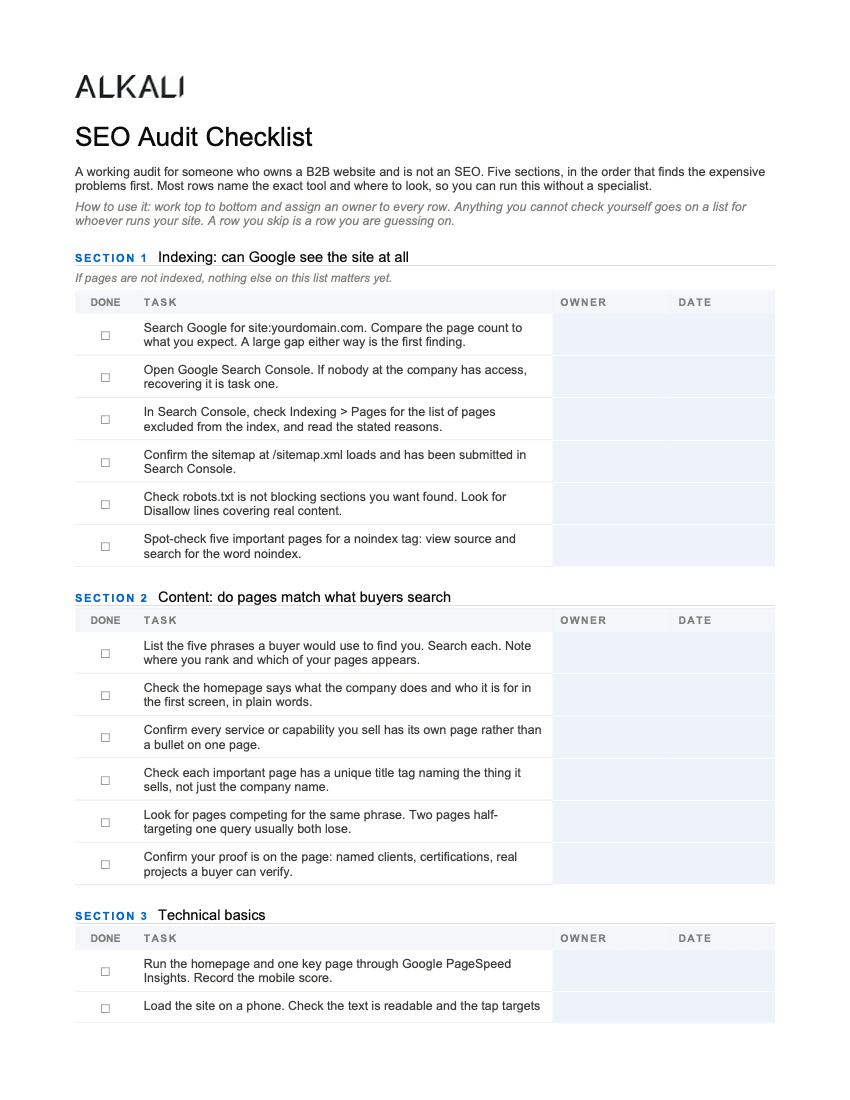
The full checklist, exactly as it appears in the download. The Word and PDF versions add owner and date columns, because a task with no name against it is the one that gets missed.
| Indexing: can Google see the site at all |
|---|
| Search Google for site:yourdomain.com. Compare the page count to what you expect. A large gap either way is the first finding. |
| Open Google Search Console. If nobody at the company has access, recovering it is task one. |
| In Search Console, check Indexing > Pages for the list of pages excluded from the index, and read the stated reasons. |
| Confirm the sitemap at /sitemap.xml loads and has been submitted in Search Console. |
| Check robots.txt is not blocking sections you want found. Look for Disallow lines covering real content. |
| Spot-check five important pages for a noindex tag: view source and search for the word noindex. |
| Content: do pages match what buyers search |
|---|
| List the five phrases a buyer would use to find you. Search each. Note where you rank and which of your pages appears. |
| Check the homepage says what the company does and who it is for in the first screen, in plain words. |
| Confirm every service or capability you sell has its own page rather than a bullet on one page. |
| Check each important page has a unique title tag naming the thing it sells, not just the company name. |
| Look for pages competing for the same phrase. Two pages half-targeting one query usually both lose. |
| Confirm your proof is on the page: named clients, certifications, real projects a buyer can verify. |
| Technical basics |
|---|
| Run the homepage and one key page through Google PageSpeed Insights. Record the mobile score. |
| Load the site on a phone. Check the text is readable and the tap targets are usable without zooming. |
| Confirm the site serves on https and the padlock shows. Type the http:// version and check it redirects. |
| Click through the main navigation and note any page returning an error or an empty template. |
| Check both www and bare domain resolve to one address rather than serving two copies of the site. |
| Links |
|---|
| In Search Console, open Links and note the top linked pages and top linking sites. Look for anything you do not recognise. |
| Check your most important pages are linked from the homepage or navigation, not buried three levels deep. |
| Click the links inside your five most-visited pages and note any that 404. |
| Confirm your Google Business Profile, and any directories you control, link to the correct current address. |
| Measurement |
|---|
| Confirm analytics is installed and someone at the company can log in to it. |
| Check form submissions or quote requests are tracked, not just page views. Test one and watch for it. |
| Record baseline numbers today: impressions, clicks, and average position from Search Console. Improvements only mean something against a baseline. |
How to read the results
Expect three kinds of findings. Failures in Section 1 are emergencies in slow motion: a site that isn’t indexed has been invisible for as long as the problem has existed, and every week it continues costs the same as the last. Failures in Section 2 are the quiet ones, and usually the most valuable: the homepage that doesn’t say what you do, the capability that has no page. Failures in Sections 3 to 5 are friction: each one loses a percentage of the visitors the first two sections earned.
For the speed rows, calibrate against the field rather than perfection: across 56,005 US B2B homepages we measured, the median site scores 59 out of 100 on Google PageSpeed. Below that, you're slower than a typical B2B site, not merely imperfect.
What to fix first, and why order matters
Indexing first, always: nothing else counts until Google can see the pages. Second, the pages already close to ranking, positions 5 to 30 in Search Console's performance report, because a small improvement there moves real traffic while the same effort on a page at position 60 moves nothing. Third, speed. Cosmetic changes last, which is the exact reverse of the order most teams enjoy working in. If the content findings run deeper than a fix list, that's usually a redesign conversation rather than an optimization one.
When this needs a specialist
Three findings justify bringing in help: Section 1 turned up indexing problems you can't explain, the fixes are technical (redirects, canonical tags, structured data, the deeper layer our technical SEO checklist covers), or the audit was fine and the problem is that the site says the wrong things, which is a positioning problem wearing an SEO costume. Arrive with the completed checklist either way: a specialist who starts from your findings costs less and skips the two weeks of discovery you already did. If the findings point at ongoing search work rather than a one-off fix, that's what our SEO service is for.
Common questions
What is an SEO audit?
A structured check of whether search engines can find your site, whether its pages match what buyers actually search for, and whether technical problems are holding it back. For an established B2B site, the useful audit finds the two or three basic problems that have been costing enquiries for years, rather than a hundred minor optimizations.
Can I do an SEO audit myself?
Most of it, yes. Checking whether your pages are indexed, whether the homepage says what you do, whether the site works on a phone, and whether forms are tracked requires no specialist skills, just the checklist and an hour or two. Where it turned up indexing problems or the fixes are technical, that is the moment to bring in help, with the findings already in hand.
What should an SEO audit include?
Five things, in order: indexing (can Google see the site), content (do pages match what buyers search), technical basics (speed, mobile, https), links (internal and inbound), and measurement (is anything tracked). The order matters because an indexing problem makes every other finding moot.
How often should you audit a website's SEO?
A full pass once or twice a year, and always before and after a redesign or migration, which is when the expensive damage happens. Between full passes, a monthly look at Search Console's performance and indexing reports catches most regressions early.
What SEO tools do I need for a basic audit?
For this checklist: Google Search Console, Google PageSpeed Insights, a browser, and a phone. All free. Paid crawlers and rank trackers earn their keep for practitioners running audits weekly; for an owner running one annually, Search Console holds most of the signal.
What should I fix first after an SEO audit?
Indexing problems first, always: pages Google cannot see cannot rank. Then pages already close to ranking, positions 5 to 30 in Search Console, because small improvements there move real traffic. Then speed. Cosmetic changes come last, which is the reverse of the order most teams enjoy working in.