
Introduction to Uncanny Automator
In the bustling digital world, efficiency is key for small business owners. Uncanny Automator, a powerful WordPress plugin, transforms how tasks are automated across various applications, reducing manual effort and streamlining operations. Uncanny Automator acts as a connective hub that automates workflows between your WordPress site and other tools and plugins you use daily.
Uncanny Automator allows you to create powerful automation recipes that trigger actions based on specific events. Whether you’re looking to automate social media posts, user registrations, or email notifications, Uncanny Automator handles it seamlessly, freeing up your time to focus on growing your business.
Key Benefits and Features of Uncanny Automator
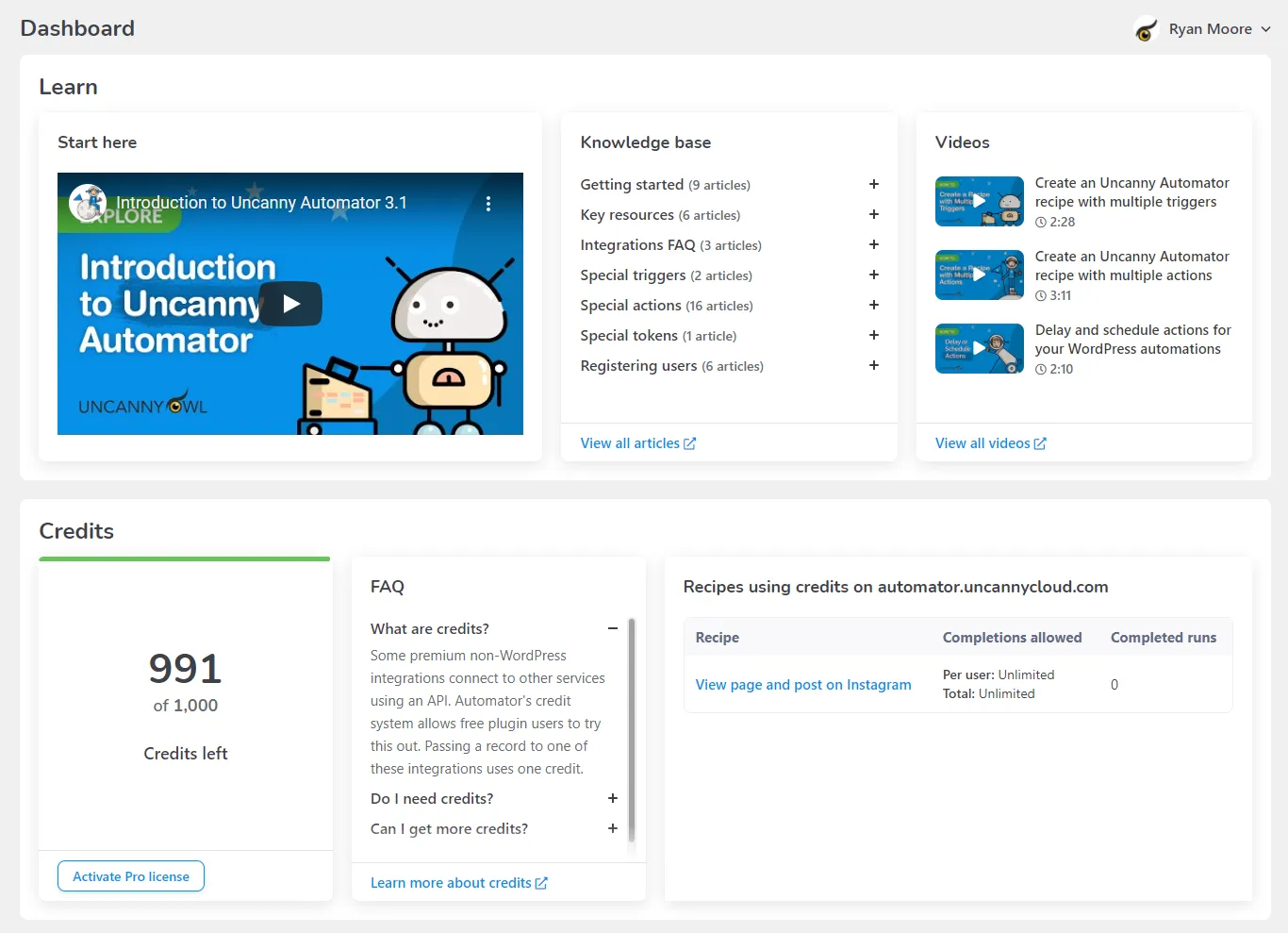
Uncanny Automator brings a suite of advanced features to the WordPress ecosystem, making it an essential tool for automating complex workflows. Here are the key benefits and functionalities that make Uncanny Automator stand out:
No-Code Automation Setup
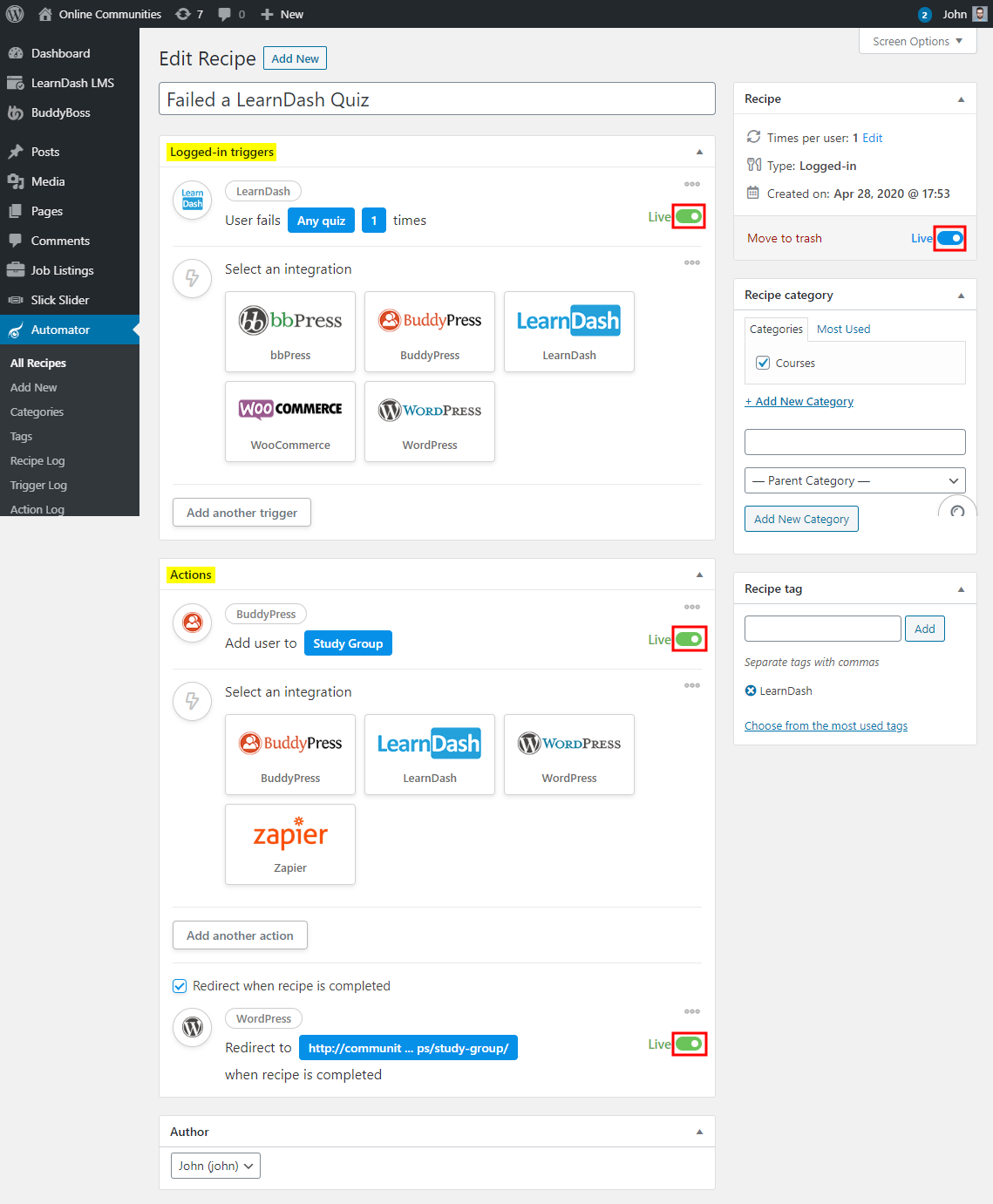
Create and manage powerful automations without any coding knowledge. The intuitive interface allows you to set up triggers and actions that automate tasks across your WordPress plugins and external apps.
Extensive Integration Capabilities
Connect with over 50 WordPress plugins and third-party apps, including popular tools like WooCommerce, LearnDash, and Slack, as well as Zapier for extending your automation capabilities beyond WordPress.
Real-Time Automation Triggers
Automations run in real time, allowing for immediate response to user actions. Whether it’s sending a welcome email upon new user registration or updating a CRM entry, responses are instant and reliable.
Complex Recipe Creation
Build complex workflows that involve multiple plugins and conditions. For instance, enroll a user in a course when they purchase a specific product and send a follow-up email a week later.
User-Driven Actions
Allow users to initiate actions themselves through simple interactions on your site, enhancing user engagement and satisfaction.
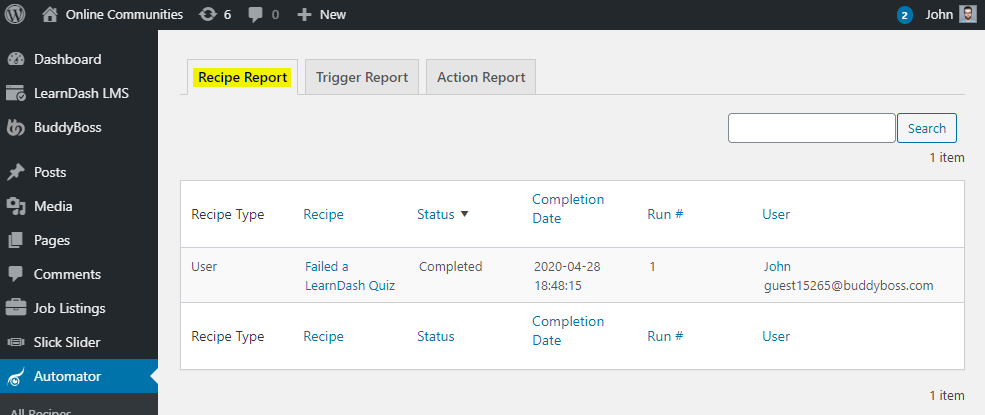
Detailed Logging and Reporting
Monitor your automations with detailed logs and reports that help you understand workflow effectiveness and troubleshoot any issues.
These features illustrate why Uncanny Automator is more than just a plugin; it’s a comprehensive solution that enhances the functionality and interconnectivity of your WordPress site, making it a smarter, more autonomous platform.
Use Cases and Applications of Uncanny Automator
Uncanny Automator’s versatility makes it ideal for a wide array of applications, effectively boosting efficiency and automation across various types of businesses. Here are several practical examples demonstrating how different businesses utilize Uncanny Automator to enhance their operations:
E-commerce Stores
- Scenario: An online retailer needs to streamline customer interactions and backend processes.
- Application: With Uncanny Automator, the retailer sets up automations that add customers to a mailing list after purchase, send a personalized thank you email, and create a follow-up task in a project management tool for customer service to reach out a week later.
Educational Platforms
- Scenario: An online education provider wants to automate student enrollment and engagement.
- Application: The platform uses Uncanny Automator to enroll students in courses automatically after they sign up, send course material links via email, and integrate with forums for automatic access upon course enrollment.
Event Management
- Scenario: A company organizes frequent events and needs an efficient way to manage attendee information.
- Application: Uncanny Automator helps automate the registration process by sending attendees a confirmation email, adding their details to a CRM, and scheduling a reminder email a day before the event.
Membership Sites
- Scenario: A membership site requires automation to manage user roles and content access based on subscriptions.
- Application: Uncanny Automator is configured to upgrade or downgrade user roles based on subscription status changes, trigger personalized content emails based on user activity, and log all changes for admin review.
Professional Services
- Scenario: A consulting firm needs to automate appointment scheduling and follow-ups.
- Application: The firm sets up Uncanny Automator to integrate their booking calendar with their email system, sending automated appointment confirmations and prep material to clients, and reminder emails to staff.
These use cases demonstrate the power of Uncanny Automator in transforming routine tasks into automated processes, reducing manual input, and increasing overall business efficiency.
Why Choose Alkali for Uncanny Automator Integration?
Selecting Alkali for your Uncanny Automator integration can bring unparalleled expertise and customization to your WordPress automation setup. Here’s why choosing Alkali as your integration partner is essential for maximizing your investment in Uncanny Automator:
Expert Customization and Setup
Alkali specializes in tailoring Uncanny Automator to meet your specific business needs. Our team ensures that each automation perfectly aligns with your operational goals, whether that involves streamlining e-commerce processes, enhancing user engagement on educational platforms, or automating client management for professional services.
Seamless Integration Across Systems
Our deep understanding of WordPress and its ecosystem allows us to integrate Uncanny Automator seamlessly with your existing plugins and third-party applications. This ensures that your automations work flawlessly across all your digital tools, enhancing functionality and user experience.
Strategic Automation Planning
Alkali doesn’t just implement automations; we strategize with you to develop comprehensive automation plans that boost efficiency and effectiveness. We help identify key areas where automation can yield the highest ROI, ensuring that Uncanny Automator contributes significantly to your business success.
Ongoing Support and Optimization
The digital landscape is constantly evolving, and so should your automation strategies. Alkali provides ongoing support and optimization services for Uncanny Automator, keeping your systems up to date and introducing new automations as your business grows and changes.
Training and Empowerment
We believe in empowering our clients. Alkali offers extensive training sessions on managing Uncanny Automator, ensuring that your team can effectively oversee and adjust automations as needed without always relying on external support.
Advanced Analytics and Insights
With each automation, data is key. Alkali sets up comprehensive analytics to monitor the performance of your automations, providing insights that help refine processes and increase the impact of your automated workflows.
By partnering with Alkali for your Uncanny Automator integration, you ensure that your business not only saves time and resources but also enhances its capabilities to engage with customers and manage internal processes more effectively.