Introduction to Duplicator
For small business owners running WordPress sites, managing backups and migrations can be challenging without the right tools. Duplicator, a powerful WordPress plugin, simplifies these tasks by offering seamless site migration and reliable backup solutions. This introduction explores how Duplicator can help you effortlessly duplicate, move, or back up your entire WordPress site, ensuring that your digital presence remains secure and easily transferable.
Whether you’re migrating to a new server or creating a backup before making significant changes to your site, Duplicator provides an intuitive and user-friendly interface that automates the process. With its comprehensive features and reliability, it has become an indispensable tool for business owners and developers alike.
Key Benefits and Features of Duplicator
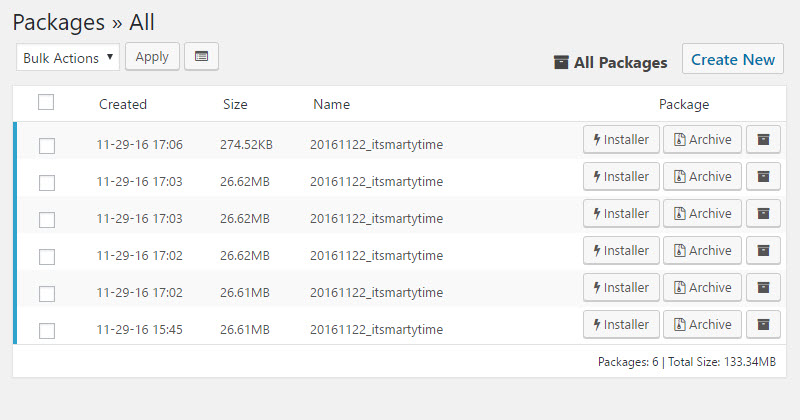
Duplicator offers a range of features that make it an invaluable asset for WordPress site owners, enabling hassle-free migration and backup management. Here are the key benefits and functionalities that make Duplicator a standout tool:
Seamless Site Migration
Easily move your WordPress site to a new server or domain without downtime. Duplicator creates a package containing all your site’s files and database, which can then be deployed to a new location.
Complete Site Backup
Create full backups of your WordPress site, including files, databases, plugins, and themes. This ensures that your site is always secure and can be quickly restored if needed.
One-Click Restore
Restore your site from a backup package with just a few clicks, providing a quick recovery option in case of accidental data loss or corruption.
Staging and Development Sites
Clone your live site to create a staging environment for testing new features or updates before implementing them on the live site, reducing the risk of downtime.
Cloud Storage Integration
Save backup packages directly to popular cloud storage services like Dropbox, Google Drive, and Amazon S3, ensuring that your backups are safe and accessible.
Scheduling and Automation
Automate the backup process by scheduling regular backups, ensuring your site is always up to date without manual intervention.
Database and File Filters
Customize your backup packages by excluding specific files or database tables, creating leaner packages that focus only on essential site components.
These features illustrate why Duplicator is more than just a migration tool; it’s a comprehensive solution that enhances the security and management of your WordPress site.
Use Cases and Applications of Duplicator
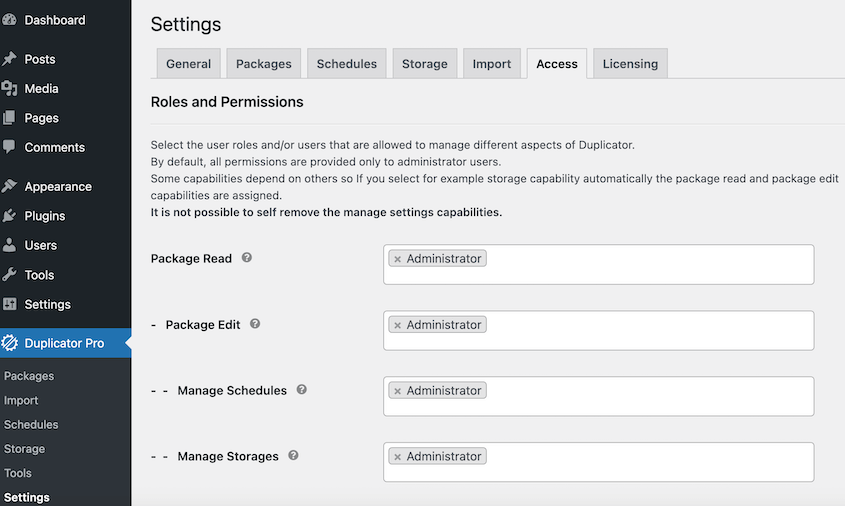
Duplicator’s flexibility makes it ideal for various applications, offering small business owners a reliable tool for site migration, backup, and testing. Here are several practical examples of how different businesses utilize Duplicator to streamline their WordPress site management:
Site Migration for Small Businesses
- Scenario: A small business needs to migrate its WordPress site to a new hosting provider due to performance issues with the current server.
- Application: Duplicator enables the business to package their entire site, including content and database, and redeploy it on the new server with minimal downtime and no data loss.
Backup Strategy for E-commerce Stores
- Scenario: An online retailer wants to ensure they have regular backups of their store to avoid losing transaction data.
- Application: Duplicator allows the retailer to schedule automatic backups that include orders, customer information, and products, ensuring that the store can be restored quickly in case of data corruption or hacking.
Staging Environment for Developers
- Scenario: A web developer needs a safe environment to test plugin updates before applying them to a live client site.
- Application: Duplicator helps the developer clone the live site into a staging environment where new features and updates can be tested without risking the live site’s functionality.
Site Duplication for Multi-Location Businesses
- Scenario: A business operating multiple locations requires similar WordPress sites for each branch, with slight customizations.
- Application: Duplicator allows the business to duplicate the main site and then customize each duplicate to reflect the branding and content specific to each branch.
Disaster Recovery for Service Providers
- Scenario: A consultancy firm wants to ensure they can quickly recover their site in the event of hacking or data corruption.
- Application: Duplicator provides complete site backups that can be stored securely on cloud storage platforms, enabling quick restoration with minimal data loss and disruption.
These use cases demonstrate how Duplicator simplifies essential WordPress management tasks, helping small business owners and developers protect, migrate, and customize their sites efficiently.
Why Choose Alkali for Duplicator Integration?
Opting for Alkali to manage your Duplicator integration brings a wealth of expertise and tailored solutions that ensure your WordPress site is not only protected but also optimized for performance and scalability. Here’s why Alkali Designs is the right choice for your Duplicator needs:
Customized Setup and Configuration
Alkali provides a bespoke setup of the Duplicator plugin, ensuring that it aligns perfectly with your business objectives. Whether you need scheduled backups for an e-commerce site or a seamless migration strategy for a large-scale WordPress network, our experts craft a solution that meets your specific requirements.
Seamless Integration with Existing Systems
We ensure that Duplicator integrates smoothly with your existing WordPress setup, including themes, plugins, and external services. This integration is crucial for maintaining the integrity and functionality of your site during migrations or when deploying from staging to production environments.
Advanced Data Handling Capabilities
Understanding the critical nature of your site’s data, Alkali sets up Duplicator with advanced configurations to handle large databases and files efficiently. This approach minimizes downtime and ensures data integrity during backups and migrations.
Proactive Security Measures
Alkali enhances the security setup of Duplicator by implementing additional precautions like encrypted backups and secure storage solutions, protecting your data from unauthorized access and potential threats.
Ongoing Support and Maintenance
Our commitment to your success extends beyond initial setup. Alkali offers continuous support and maintenance for Duplicator, ensuring that your backup and migration systems evolve with your site’s needs and the latest technology standards.
Training and Empowerment
We empower your team by providing comprehensive training on managing Duplicator. This knowledge enables you to perform routine backups, restore from backups, and manage migrations confidently, ensuring you are never dependent on external help.
By partnering with Alkali, you benefit from a tailored, secure, and efficient Duplicator setup that not only safeguards your digital assets but also enhances your ability to manage your website’s lifecycle effectively.